
Security Camera Coverage & Focal Length Calculator
Model what a lens actually covers at your target distance, estimate pixel density and subject detail, and calculate both the focal length and maximum distance for a chosen planning target.
What the calculator measures
The first calculation converts sensor width and focal length into horizontal field of view. That angle determines how wide the scene is at your chosen distance. Pixel density is horizontal recorded pixels divided by scene width in feet.
The upgraded range result answers a second question: with the current lens, how far away can the subject move before the scene falls below your selected planning density? It also works backward to estimate the focal length needed at your chosen distance.
DORI planning reference
| Operational goal | Approx. px/m | Approx. px/ft |
|---|---|---|
| Detect | 25 | 8 |
| Observe | 63 | 19–20 |
| Recognize | 125 | 38–40 |
| Identify | 250 | 76–80 |
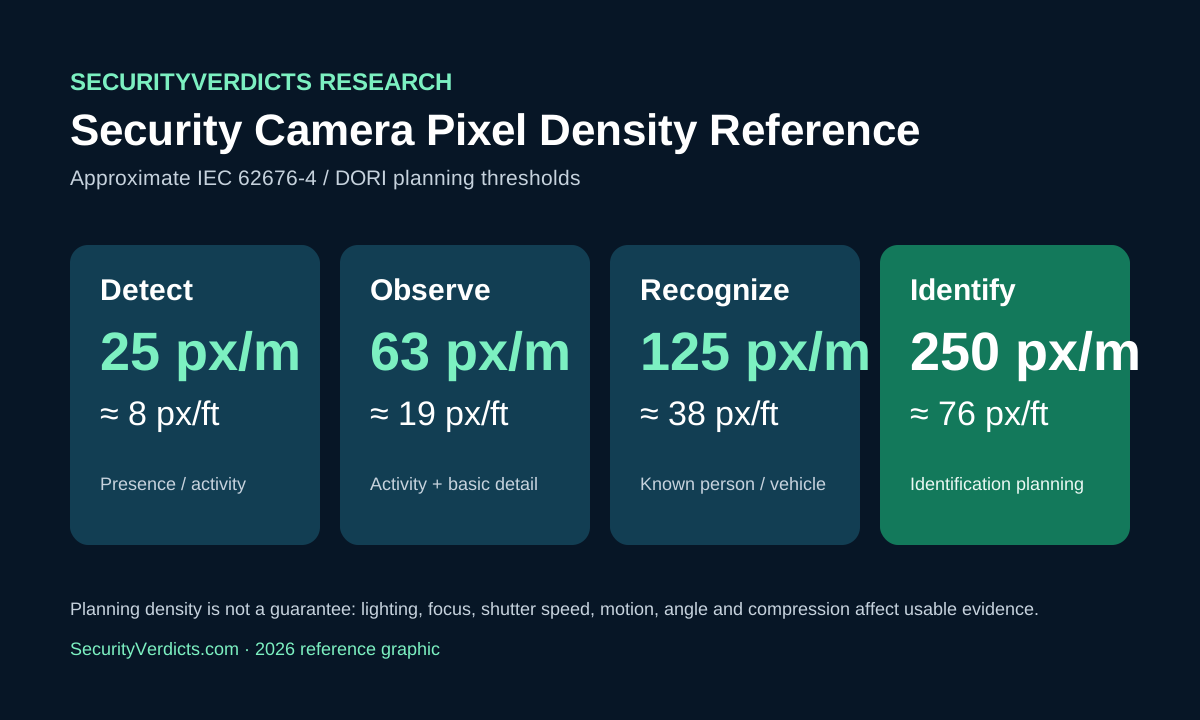
These are geometric planning thresholds based on IEC 62676-4 style pixel-density guidance. They do not guarantee identification. Lighting, focus, shutter speed, motion, compression, weather and subject angle all reduce usable detail.
Why the person-width estimate helps
Pixels per foot can feel abstract. Multiplying the current density by a nominal 1.5-foot subject width gives a rough sense of how many horizontal pixels a standing person occupies. It is not a face-recognition calculation; it simply makes the geometry easier to visualize.
Why sensor width matters
A focal length is meaningful only together with sensor dimensions. A 4mm lens on one sensor can have a different FOV from a 4mm lens on another. Use the manufacturer’s active sensor width when available, or use the published horizontal FOV as a cross-check.
How to use the required-lens result
The required focal length is a geometric estimate for the selected pixel-density target. Real installations should leave margin rather than designing exactly to the threshold. If the result says 5.3mm, a 6mm lens or a varifocal camera may be a more robust choice than assuming a 5mm fixed lens will deliver perfect evidence.
Source and methodology
Pixel-density thresholds are based on published Axis guidance summarizing IEC 62676-4 DORI requirements. Formula: HFOV = 2 × arctan(sensor width ÷ (2 × focal length)); scene width = 2 × distance × tan(HFOV ÷ 2); PPF = horizontal pixels ÷ scene width. See Axis pixel-density guidance.
Related: Pixels per Foot Explained · Wide vs Narrow Camera Angles · Identification Distance Calculator · Driveway focal-length guide · 2.8mm vs 4mm.